Skip to content
Menu

Review

Leadpages review (2026)

Leadpages is the pick if you need to publish and split-test high-converting landing pages fast, without a designer, and you will use the A/B testing and heatmaps you pay for. It is not for you if you want deep design control, a full funnel with email built in, or a free plan. And keep an eye on the billing.

By Marta Ovalle, reviewed by Funnel Critic Editorial. Updated 29 September 2026.

Our rating: 3.9 / 5, ordinal within our funnel-tool rankings.

Quick answer

Yes, Leadpages is legitimate. It has built landing pages since 2012, is used by more than 400,000 customers, and is owned by the Canadian software group Redbrick. G2 rates it 4.3 and Capterra 4.5.

Leadpages is worth it if you need to publish and split-test high-converting landing pages quickly, without a designer, and you will actually use the A/B testing and heatmaps you pay for. The thing to be careful about is not the software, it is the invoice: reviewers report surprise annual renewals and refused refunds, and the 7-day trial needs a card. You are more likely to regret it if you want deep design control, a full sales funnel with email built in, or a free plan, none of which Leadpages offers.

If you have seen Leadpages in an ad or a Facebook group, the question you are really asking is the one everyone asks about a tool with a big name: is it still any good, and will the subscription bite me later. Both are fair.

Leadpages is one of the oldest landing page tools around. It started in Minneapolis in 2012, bought the email platform Drip in 2016, and was itself acquired by the Canadian group Redbrick in 2020. Drip has since gone its own way, and in the last year Leadpages rebuilt the product around AI: describe a campaign and it drafts a branded page in about a minute, then keeps testing it with A/B tests, visitor routing and heatmaps.

So the software is real and it is actively developed. The honest catch is two things. The design is less flexible than a modern page builder, and the billing has a genuinely rough reputation. This review is about whether those two things should stop you.

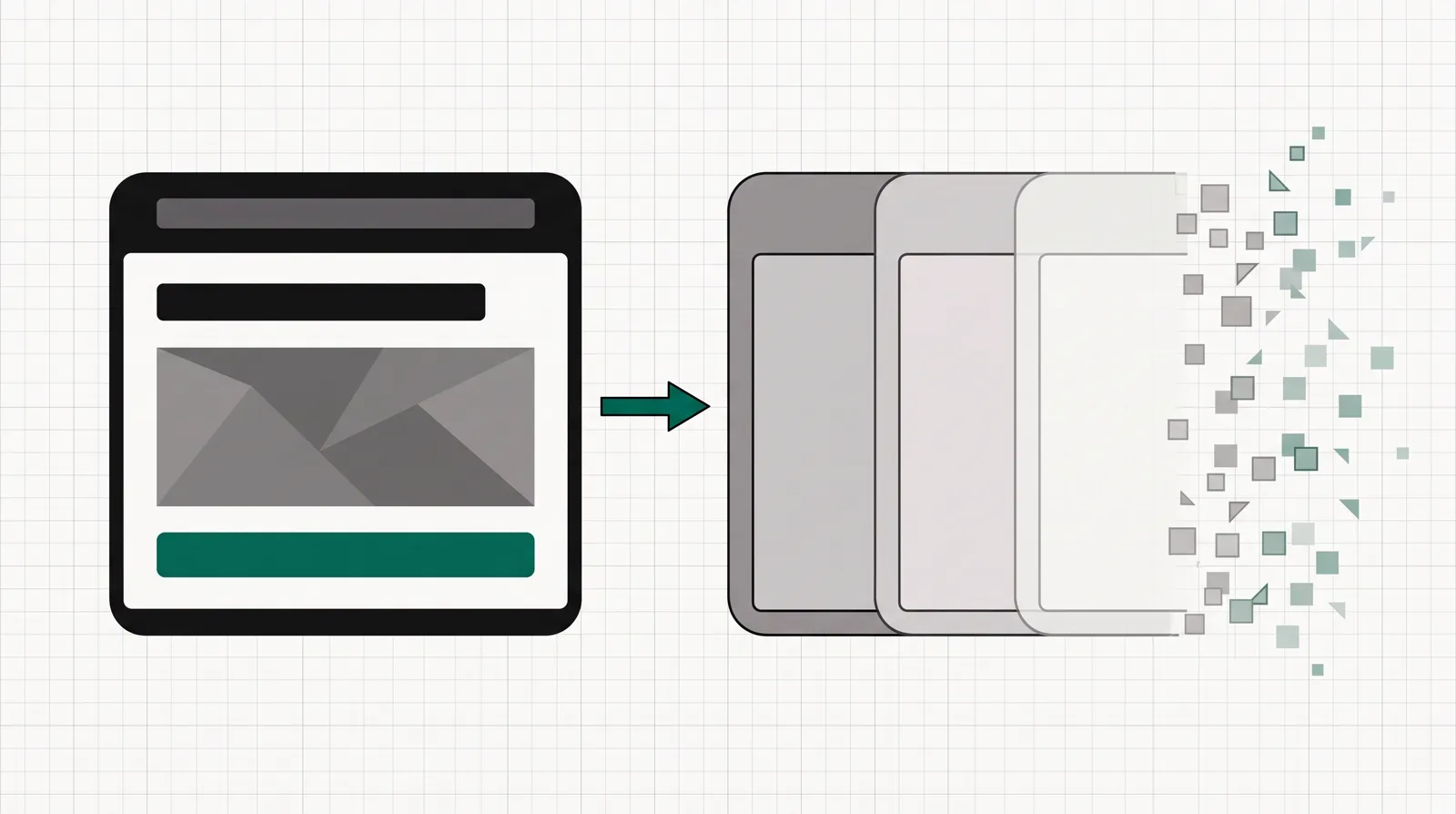
A crisp, detailed landing-page tile beside a fading row of three plainer tiles that dissolve at the edge, showing a tool that builds the page well but stops before the rest of the funnel.
Leadpages builds and tests the landing page well. It stops short of the rest of a funnel: no funnel logic, and no built-in email since Drip spun off.

What works

  • You get a clean, mobile-ready landing page live in minutes. Reviewers with no coding background single out the drag-and-drop editor and the template library, and the new AI builder can draft a branded page from a prompt in about a minute.
  • Every Leadpages plan includes unlimited traffic with no visitor caps. That is a real gap from Unbounce and Instapage, which cap monthly visitors on their entry plans and charge more when a campaign works.
  • A/B testing is included from the $67 Grow plan, where several rivals gate testing behind pricier tiers. Smart Traffic visitor routing and click and scroll heatmaps come one tier up on Optimize.
  • It is more than a page builder now. You get full websites and blogs on a custom domain with free SSL, an embeddable Stripe checkout, lead enrichment, and more than 200 integrations to push leads to your CRM or email tool.
  • It is cheaper than it was. The Grow list price has dropped, and a separate publishing-only product, HTML Pub, covers pages alone for $7 to $33 if you do not need the optimization tools.

What to watch

  • Design control is the trade-off. Reviewers say the templates are limited and pages built on them look like every other Leadpages page, with little pixel-level control over styles. A brand with strict guidelines will fight the editor.
  • The billing reputation is the real risk. Long-term reviewers report surprise annual auto-renewals, a cancel flow that does not always take effect, and refunds refused. Leadpages does not refund subscription payments, only future renewals, so its Trustpilot score sits far below its product ratings.
  • No free plan, and the 7-day trial needs a card. You commit a payment method to try it and you are charged on day 7 unless you cancel first. Given the cancellation complaints, set a reminder.
  • It is a page tool, not a full funnel. It has no funnel logic like ClickFunnels, and email is no longer built in since Drip became a separate company, so you still wire an email tool and a CRM alongside it.
  • The price only makes sense if you use the conversion features. If you just want to publish a page it reads as expensive next to lighter builders. The value lands when you run tests every week.
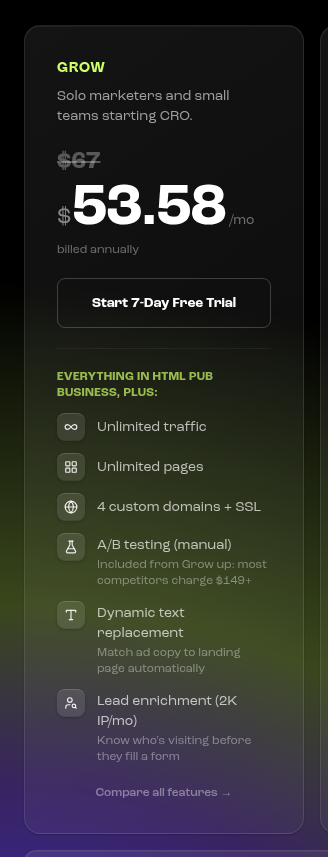
The Leadpages Grow plan card showing $67/mo struck through to $53.58/mo billed annually, a Start 7-Day Free Trial button, and included features: unlimited traffic, unlimited pages, 4 custom domains, manual A/B testing and lead enrichment.
Plans and 7-day free trial. The Leadpages Grow plan card showing $67/mo struck through to $53.58/mo billed annually, a Start 7-Day Free Trial button, and included features: unlimited traffic, unlimited pages, 4 custom domains, manual A/B testing and lead enrichment. Screenshot: leadpages.com,
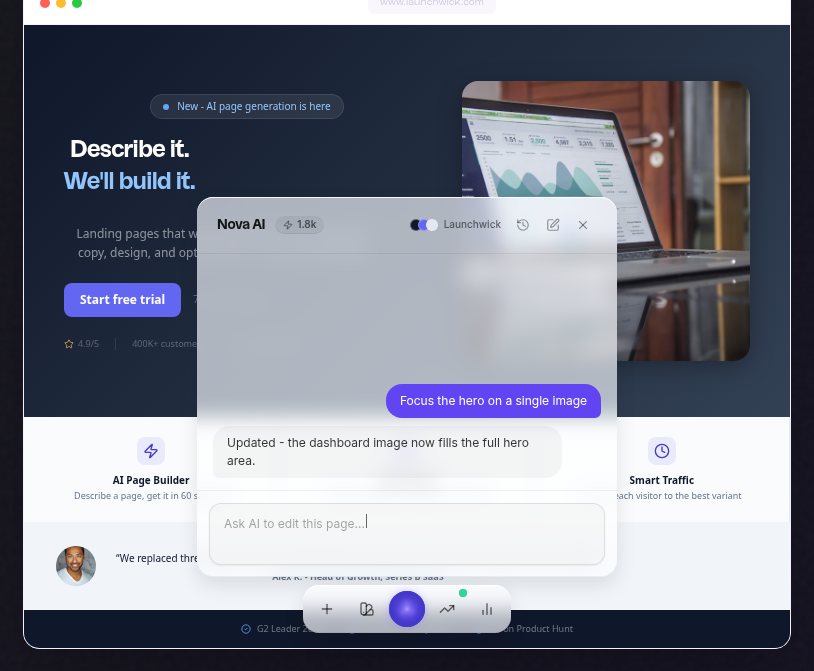
Leadpages' AI page builder, with a "Describe it. We'll build it." hero and an "Ask AI to edit this page" chat revising a live page, plus AI Page Builder and Smart Traffic feature tiles beneath it.
AI landing page creation. Leadpages' AI page builder, with a "Describe it. We'll build it." hero and an "Ask AI to edit this page" chat revising a live page, plus AI Page Builder and Smart Traffic feature tiles beneath it. Screenshot: leadpages.com,
Leadpages' Smart Traffic routing panel: incoming visitors labelled by source and whether they are new or returning (Google/New, Direct/Return, Facebook/New, Email/Return) each routed to variant A or B, with Variant A converting at 4.2% and Variant B at 3.6%.
Smart Traffic AI routing. Leadpages' Smart Traffic routing panel: incoming visitors labelled by source and whether they are new or returning (Google/New, Direct/Return, Facebook/New, Email/Return) each routed to variant A or B, with Variant A converting at 4.2% and Variant B at 3.6%. Screenshot: leadpages.com,
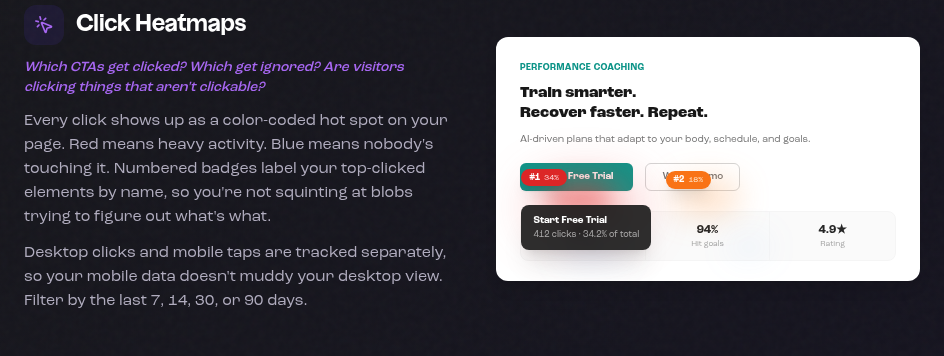
Leadpages' Click Heatmaps feature, explaining that clicks show as colour-coded hot spots with numbered badges on top-clicked elements, next to a sample page with ranked click hot spots.
Click and scroll heatmaps. Leadpages' Click Heatmaps feature, explaining that clicks show as colour-coded hot spots with numbered badges on top-clicked elements, next to a sample page with ranked click hot spots. Screenshot: leadpages.com,

What buyers keep saying

Research: unverified

Fast and beginner friendly to launch ↑ frequently praised

The most consistent praise is that a non-designer can get a clean, mobile-ready landing page live in minutes. Reviewers single out the drag-and-drop editor and the template library as the reason there is no learning curve for a first page.

“It's intuitive drag-and-drop editor and wide range of customizable templates make website creation accessible even for users with no coding experience.”

Anonymous Capterra: Leadpages Reviews - Capterra

“a very straightforward drag and drop builder where you can get started easily and have a great looking landing page in just a couple of minutes”

Anonymous Capterra: Leadpages Reviews (page 2) - Capterra

Design control and template sameness ↓ common complaint

The recurring complaint on the product itself is rigidity: the templates are limited, pages built on them look like every other Leadpages page, and the editor does not give pixel-level control over styles. Teams with strict brand guidelines hit that wall.

“The offered templates are too few and landing pages will be reminiscent of every other Leadpages landing page in use.”

Anonymous Capterra: Leadpages Reviews (page 8) - Capterra

“There is not enough flexibility in editing of page styles.”

Anonymous Capterra: Leadpages Reviews - Capterra

Billing, auto renewal and cancellation ↓ common complaint

The loudest long-term complaint is not the software but the invoice. Reviewers report surprise annual auto-renewal charges, difficulty cancelling, and refusals to refund, which is why Leadpages' Trustpilot score sits far below its G2 and Capterra ratings.

“at least 4× cheaper than some competitors”

Ventureharbour Blog: Leadpages Review: Pros & Cons (2026) - Ventureharbour

“rough billing reputation”

RevenueGeeks Blog: Leadpages Review 2026: Is It Worth $99/mo? - RevenueGeeks

Value depends on using the CRO features

Reviewers agree the price only makes sense if you actually run the A/B testing, Smart Traffic and heatmaps. For someone who just wants to publish a page, it reads as expensive next to lighter tools; for a marketer optimising campaigns weekly, the bundle earns its keep.

“The value lands when you actually use the CRO features.”

Hack'celeration Blog: Leadpages Review 2026: Honest Verdict + 15 Real User Reviews...

“hard to justify for bootstrapped startups or agencies”

Hack'celeration Blog: Leadpages Review 2026: We Tested Everything - Hack'celeratio...

“if you want pages, websites, and split testing in one tool”

49funnels Blog: Leadpages Review 2026: Pricing, Features & Worth It? - 49fun...

“It's intuitive drag-and-drop editor and wide range of customizable templates make website creation accessible even for users with no coding experience.”

Anonymous Capterra: Leadpages Reviews - Capterra

“a very straightforward drag and drop builder where you can get started easily and have a great looking landing page in just a couple of minutes”

Anonymous Capterra: Leadpages Reviews (page 2) - Capterra

“The offered templates are too few and landing pages will be reminiscent of every other Leadpages landing page in use.”

Anonymous Capterra: Leadpages Reviews (page 8) - Capterra

“There is not enough flexibility in editing of page styles.”

Anonymous Capterra: Leadpages Reviews - Capterra

“at least 4× cheaper than some competitors”

Ventureharbour Blog: Leadpages Review: Pros & Cons (2026) - Ventureharbour

“rough billing reputation”

RevenueGeeks Blog: Leadpages Review 2026: Is It Worth $99/mo? - RevenueGeeks

“The value lands when you actually use the CRO features.”

Hack'celeration Blog: Leadpages Review 2026: Honest Verdict + 15 Real User Reviews...

“hard to justify for bootstrapped startups or agencies”

Hack'celeration Blog: Leadpages Review 2026: We Tested Everything - Hack'celeratio...

“if you want pages, websites, and split testing in one tool”

49funnels Blog: Leadpages Review 2026: Pricing, Features & Worth It? - 49fun...

The reviews, weighed up

The praise is about speed. On Capterra, where Leadpages holds about 4.5 out of 5, one reviewer writes that its intuitive drag-and-drop editor and wide range of customizable templates make website creation accessible even for users with no coding experience, and another describes a very straightforward drag and drop builder where you can get started easily and have a great looking landing page in just a couple of minutes. That is the consistent story from beginners: a first page goes live fast.

The criticism splits in two. On the product, reviewers hit a design ceiling. One Capterra review notes there is not enough flexibility in editing of page styles, and another that the offered templates are too few and landing pages will be reminiscent of every other Leadpages landing page in use. On the billing, the reviews get harsher. RevenueGeeks, which still rates the product well overall, flags its rough billing reputation, and Leadpages' Trustpilot score sits around 2.2 out of 5, driven almost entirely by complaints about surprise renewals and refused refunds. The review-site verdict lands in the middle: Hack'celeration says the value lands when you actually use the CRO features, and 49funnels calls it worth it if you want pages, websites, and split testing in one tool.

What Leadpages costs

Leadpages has no free plan. Its optimization tiers start at $67 a month, with cheaper publishing-only plans below them and a 7-day trial that needs a card.

PlanMonthlyYearlyWhat you get
HTML Pub Pro (publish only)$20$192Publish pages, a site and a blog on a custom domain with SSL, plus the AI editor. No A/B testing, Smart Traffic or heatmaps. Tiers run from $7 to $33.
Grow$67$643The entry optimization plan: unlimited traffic and pages, 4 custom domains, manual A/B testing, dynamic text replacement and lead enrichment.
Optimize$135$1,296Adds Smart Traffic visitor routing, click and scroll heatmaps, auto-personalization and 10 integrations. The most popular tier.
Scale$271$2,602Adds the full hands-off optimization loop, team seats and workspaces, 10 domains and a dedicated success manager.

The pricing splits into two products. HTML Pub is the publishing layer, priced $7 to $33 a month, for people who just need to ship pages, a site or a blog on a custom domain. Leadpages proper is the optimization layer on top: everything in HTML Pub plus A/B testing, Smart Traffic, heatmaps and lead enrichment. Leadpages starts at $67 on Grow, or $53.58 billed annually.

Two things are worth knowing. Every Leadpages plan includes unlimited traffic with no visitor caps, which is a real difference from Unbounce and Instapage. And the entry price appears to have come down recently: some of Leadpages' own pages and several 2026 reviews still quote $99 for Grow, while the live plan cards now show $67. No free plan, and the 7-day trial needs a card. For the full tier-by-tier breakdown, see our Leadpages pricing guide.

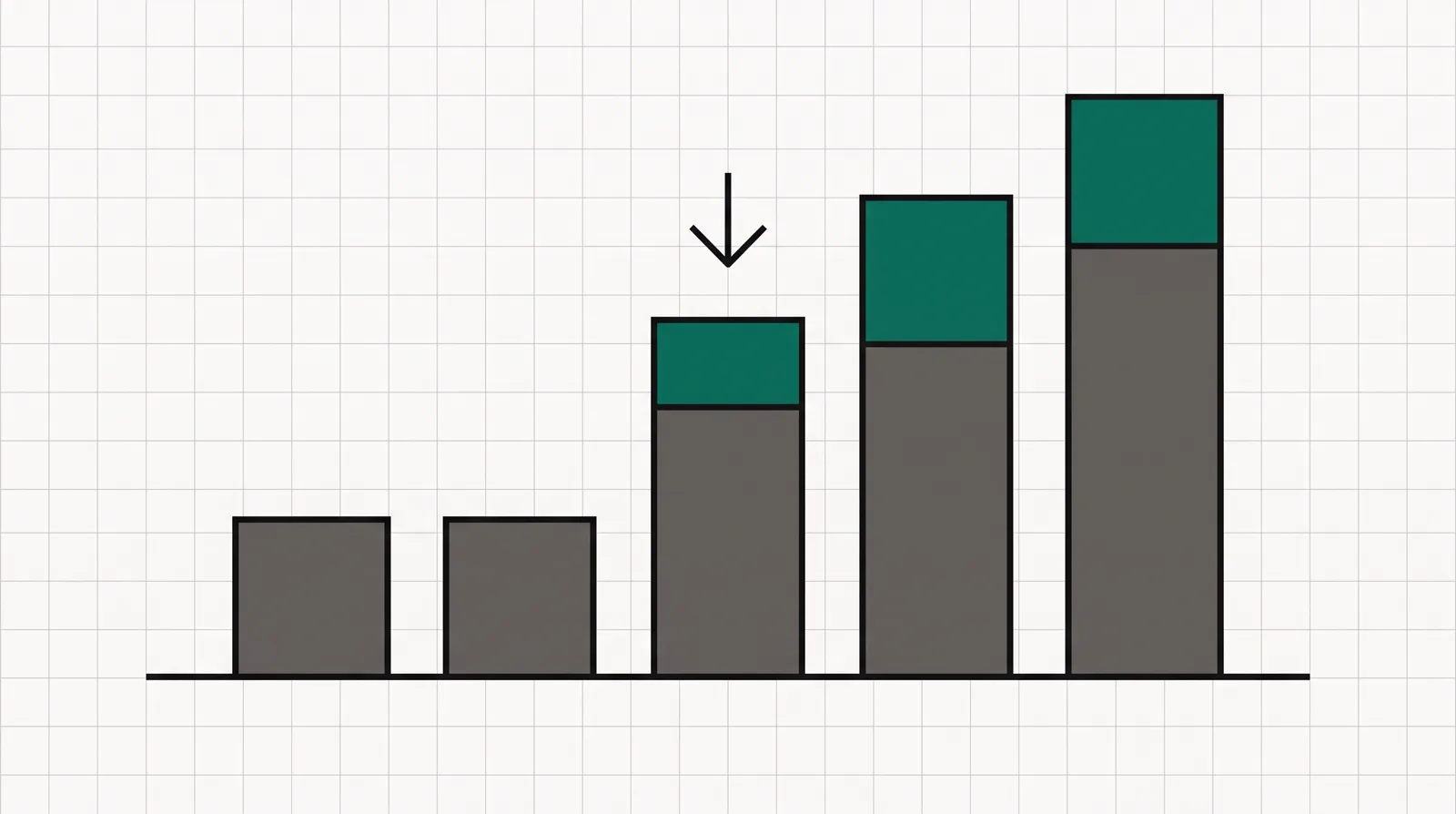
Five ascending bars: two short grey publishing tiers and three taller optimization tiers, with a small downward arrow over the first tall bar suggesting a recent price cut.
Two cheap HTML Pub publishing tiers, then three Leadpages optimization tiers. The entry Grow price has come down from the $99 some pages still show.

Changelog

  • 29 September 2026. First published. Plans and features verified against Leadpages' own pricing page on this date: Grow $67, Optimize $135 and Scale $271 a month, with cheaper HTML Pub publishing tiers from $7 and a 7-day, card-required trial.

Frequently asked questions

What is Leadpages and what is it used for?
Leadpages is an AI landing page builder and conversion tool. You use it to create standalone campaign pages, full websites and blogs without code, then test and optimize them. It handles hosting, custom domains, forms, an embeddable Stripe checkout, A/B testing and integrations with your CRM and email tools. It is built for marketers, small businesses, coaches and agencies running paid and organic campaigns.
Is Leadpages legit and safe?
Yes. It has operated since 2012, is used by more than 400,000 customers, and is owned by Redbrick, a Canadian software group that acquired it in 2020. It rates 4.3 on G2 and 4.5 on Capterra for the product itself. Its lower Trustpilot score is about billing and cancellation, not about the software failing.
Is there a Leadpages free trial or free plan?
It offers a 7-day free trial with full access, but no free plan. The trial requires a credit card, and you are charged on day 7 unless you cancel first. If you only need to publish pages cheaply rather than optimize them, the HTML Pub tier starts at $7 a month.
Does Leadpages have a WordPress plugin?
Yes. Leadpages offers a free WordPress plugin that lets you publish Leadpages-built landing pages, pop-ups and alert bars on your WordPress site under your own domain. You build the page in Leadpages and the plugin places it on WordPress.
Does Leadpages integrate with Mailchimp and other email tools?
Yes. Leadpages connects to Mailchimp, HubSpot, Salesforce, Klaviyo, ActiveCampaign and more than 200 other tools, so form submissions and new leads flow straight to your email platform or CRM. Since Drip is now a separate company, Leadpages has no email tool of its own, so you connect one.
How do I cancel Leadpages, and can I get a refund?
You cancel from your account settings, which stops future renewals. Leadpages does not refund subscription payments that have already billed; only a short money-back window on a first charge applies. Reviewers report the cancel flow occasionally not taking effect, so confirm in writing that it went through, especially before an annual renewal.
What happened to Drip, the Leadpages email tool?
Leadpages acquired Drip, an email marketing platform, in 2016 and ran the two together for a while. They later diverged to serve different audiences, and Drip became a separate company focused on ecommerce email. Leadpages today is a landing page and conversion tool with no built-in email, so you pair it with a separate email platform.
What are Leadpages' main limitations?
Design flexibility is limited: the templates are rigid and pages can look similar. It is a page tool rather than a full funnel, with no funnel logic and no built-in email. The trial needs a card, it has no free plan, and the billing and cancellation experience draws consistent complaints. The price only pays off if you use the A/B testing and optimization features.

What we read

From Leadpages

Other sources

9 discussions and reviews read for this page. Quotes are excerpts; open a link to read the original in context.

  1. [cap-ease] Leadpages Reviews - Capterra Capterra
  2. [cap-quick] Leadpages Reviews (page 2) - Capterra Capterra
  3. [cap-templates] Leadpages Reviews (page 8) - Capterra Capterra
  4. [cap-flex] Leadpages Reviews - Capterra Capterra
  5. [vh-value] Leadpages Review: Pros & Cons (2026) - Ventureharbour Blog
  6. [rg-billing] Leadpages Review 2026: Is It Worth $99/mo? - RevenueGeeks Blog
  7. [hc-value] Leadpages Review 2026: Honest Verdict + 15 Real User Reviews - Hack'celeration Blog
  8. [hc-hard] Leadpages Review 2026: We Tested Everything - Hack'celeration Blog
  9. [ff-worth] Leadpages Review 2026: Pricing, Features & Worth It? - 49funnels Blog

Related reading

Weighing your options? Start with the best funnel tools for startups. If Leadpages is not the fit, our Leadpages alternatives ranks what people move to and why, and the pricing guide breaks down every tier. If you are torn between it and a full funnel platform, our ClickFunnels vs Leadpages comparison lays out the choice. Compare more tools head to head on our comparisons, and see how we judge each one in our method.

Marta Ovalle

Written by

Marta Ovalle

Editor, funnel & checkout tools

Marta Ovalle leads Funnel Critic's coverage of funnel builders and checkout platforms. She reads the long-running threads where operators compare tools after months of live ad spend, cross-checks every claim against the vendor's own docs and pricing pages, and confirms prices with each vendor before a verdict goes live. She writes most of the roundups and pricing pages, and she decides when a ranking changes.

martao@funnelcritic.com

Last checked 2026-09-29