Skip to content
Menu

Review

Unbounce review (2026)

Unbounce is a credible, established landing page platform for marketers who need campaign pages, A/B testing and traffic optimization without waiting on developers. It earns its keep when paid traffic makes testing valuable. The catch is that real experimentation starts at $149 a month, mobile layouts can require cleanup, and the visitor and domain limits make it poor value for a simple page or a low-traffic side project.

By Marta Ovalle, reviewed by Funnel Critic Editorial. Updated 2026-09-30.

Our rating: 4.1 / 5, ordinal within our funnel-tool rankings.

Quick answer

Unbounce is legitimate and worth buying if you run enough paid traffic to test landing pages often. It is a focused landing page and conversion optimization platform with a visual builder, hosted pages, A/B testing, dynamic text replacement and AI traffic routing. It is not the right buy for one simple page, because meaningful testing starts on the $149 Experiment plan, traffic and domain limits can raise the bill, and critical reviewers still report mobile-layout cleanup.

You have probably seen Unbounce recommended whenever someone asks how to launch a landing page without a developer. That reputation is deserved, but it hides the decision that matters. Unbounce is not one product at one price. The cheap tier publishes a handful of pages. The version built for serious testing costs much more.

For an active paid-media team, that distinction can still work in Unbounce's favor. You can build campaign-specific pages, create variants, split traffic, match page copy to search terms and route visitors based on predicted conversion likelihood. Those jobs are difficult to reproduce with a basic website builder. The platform is also focused. It does not ask a marketer to learn a full website CMS just to launch a new ad page.

The risk is buying the reputation instead of the plan you need. Starter costs $29 a month but allows five pages and 500 visitors. Build costs $99 and removes the page cap, yet it still does not include A/B testing. Experiment at $149 is the practical entry point for a conversion program. Optimize at $249 adds Smart Traffic. If your campaign cannot justify that spend, a simpler builder is the better decision.

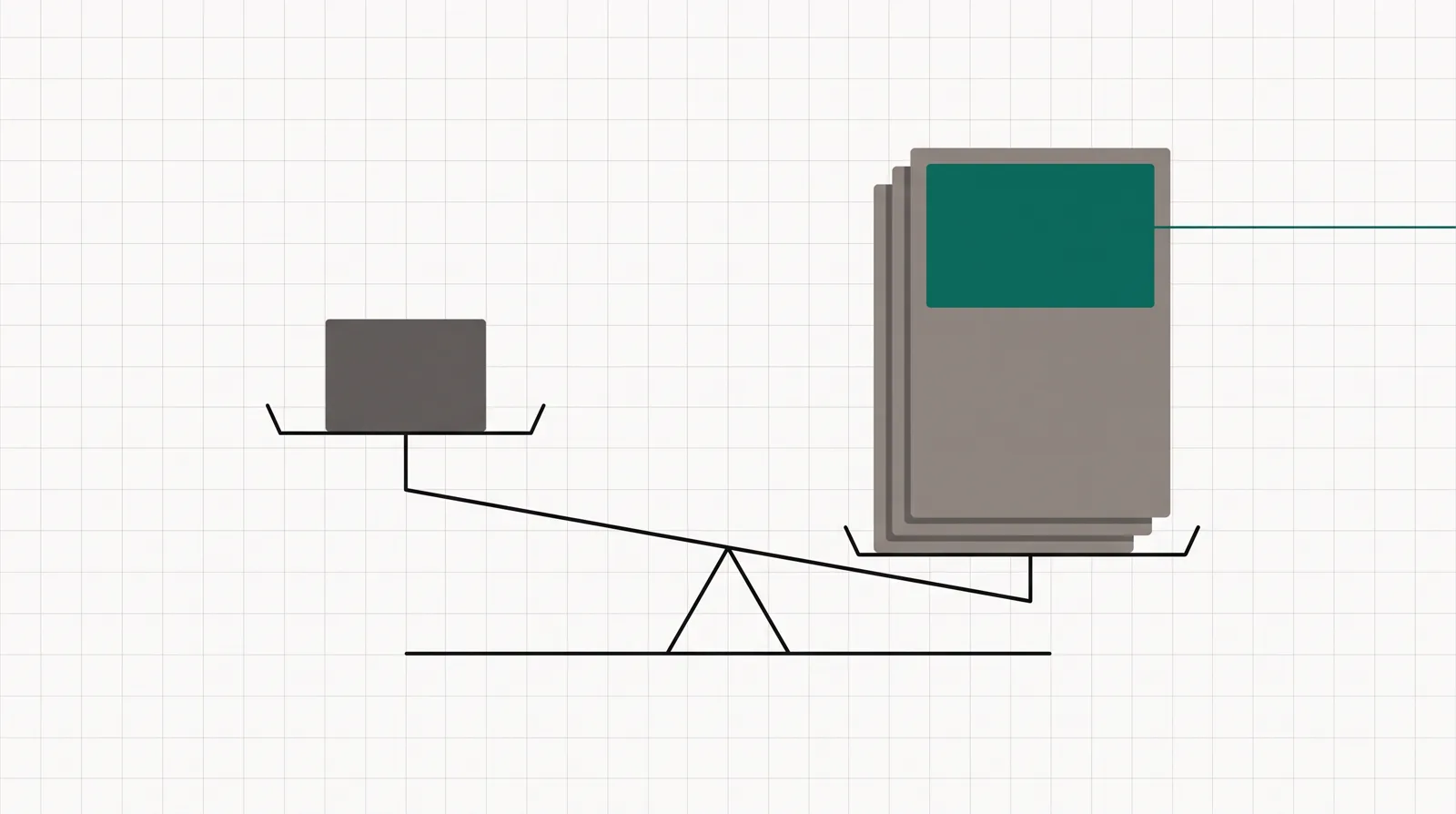
A balance scale with one simple page on one side and a stack of tested campaign variants on the other.
Unbounce makes more sense as the number of live campaigns and useful tests grows.

What works

  • A mature no-code builder for campaign pages, forms, popups and sticky bars.
  • Unlimited A/B tests and variants on the Experiment plan, with dynamic text replacement for keyword-matched pages.
  • Smart Traffic on Optimize can route visitors to the variant most likely to convert.
  • A 14-day trial requires no credit card, so you can inspect the editor before paying.

What to watch

  • A/B testing starts at $149 a month, not on the $29 or $99 plans.
  • Plans cap monthly visitors, users and root domains; overage fees can apply when traffic exceeds the limit.
  • Critical reviewers report extra work when translating a desktop design to the mobile view.
  • It builds campaign pages, not a full checkout, email system or end-to-end sales funnel.
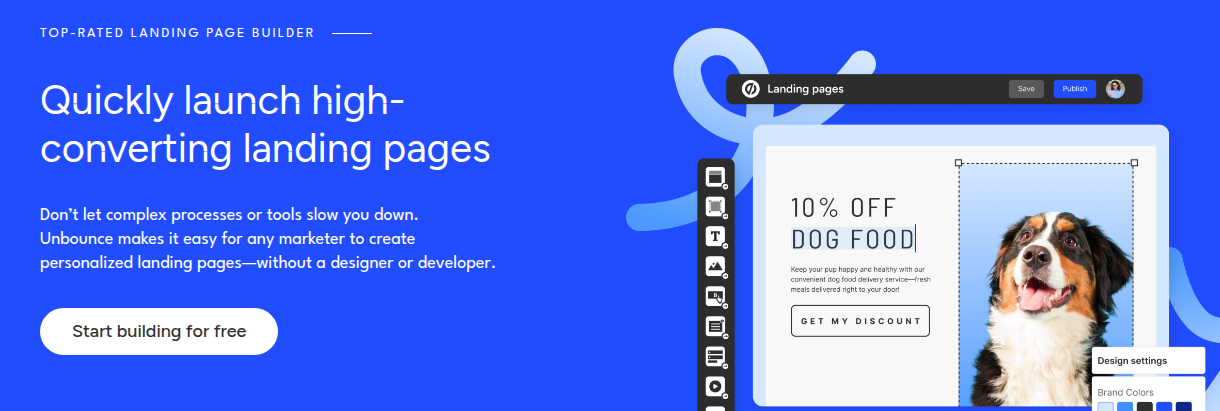
An Unbounce landing-page editor mockup with selectable page elements, a design settings panel, Save and Publish controls, and a campaign page preview.
Drag-and-drop landing page builder. An Unbounce landing-page editor mockup with selectable page elements, a design settings panel, Save and Publish controls, and a campaign page preview. Screenshot: unbounce.com,
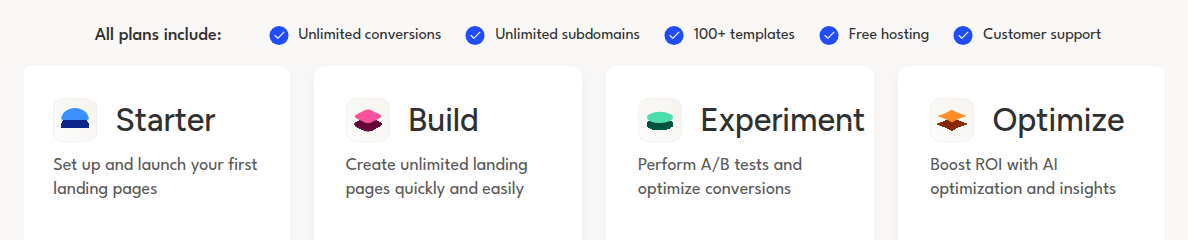
A single row of the four standard Unbounce plans, showing Starter for first pages, Build for unlimited pages, Experiment for A/B tests and Optimize for AI optimization, plus the features included on every plan.
Plan tiers and testing limits. A single row of the four standard Unbounce plans, showing Starter for first pages, Build for unlimited pages, Experiment for A/B tests and Optimize for AI optimization, plus the features included on every plan. Screenshot: unbounce.com,

What buyers keep saying

Research: unverified

Fast campaign launches without engineering ↑ frequently praised

Users who value marketer control consistently describe Unbounce as easier than building and maintaining campaign pages themselves, with testing features already included.

“I've used Unbounce before too (and it was a good experience). I host things in Azure myself now, but Unbounce has a lot more features.”

Hacker News commenter Hackernews: Ask HN: Best landing page builder?

“Github pages is nice, night be hard to set up email entry for a less-technical user. Most of the non-technical friends I have enjoy using Unbounce.”

Hacker News commenter Hackernews: Ask HN: Best landing page builder?

“Overall Unbounce is a complete landing page builder and works great for testing new marketing campaigns.”

Creative Director Capterra: Unbounce reviews

Easy to start, fiddly on mobile

The builder is approachable for non-technical users, but critical reviewers describe extra work on mobile layouts and question whether the resulting pages justify the subscription price.

“Github pages is nice, night be hard to set up email entry for a less-technical user. Most of the non-technical friends I have enjoy using Unbounce.”

Hacker News commenter Hackernews: Ask HN: Best landing page builder?

“You end up clicking the bottom button to switch over to check it out after you've designed the web version, and most of the page tends to be amiss/out of the boundaries, etc.”

Art Director and Lead Graphic Designer Capterra: Unbounce reviews

“Terrible landing page making experience. Every competitor is better than Unbounce and cheaper now too.”

David D. Trustpilot: Unbounce reviews

“I've used Unbounce before too (and it was a good experience). I host things in Azure myself now, but Unbounce has a lot more features.”

Hacker News commenter Hackernews: Ask HN: Best landing page builder?

“Github pages is nice, night be hard to set up email entry for a less-technical user. Most of the non-technical friends I have enjoy using Unbounce.”

Hacker News commenter Hackernews: Ask HN: Best landing page builder?

“Overall Unbounce is a complete landing page builder and works great for testing new marketing campaigns.”

Creative Director Capterra: Unbounce reviews

“You end up clicking the bottom button to switch over to check it out after you've designed the web version, and most of the page tends to be amiss/out of the boundaries, etc.”

Art Director and Lead Graphic Designer Capterra: Unbounce reviews

“Terrible landing page making experience. Every competitor is better than Unbounce and cheaper now too.”

David D. Trustpilot: Unbounce reviews

The reviews, weighed up

The positive case is about speed and independence. In a Hacker News discussion, one commenter said, I've used Unbounce before too (and it was a good experience). I host things in Azure myself now, but Unbounce has a lot more features. Another wrote that most of their non-technical friends enjoyed using it. A Capterra reviewer summarized the fit more directly: Overall Unbounce is a complete landing page builder and works great for testing new marketing campaigns.

The critical case is not that Unbounce is fake or incapable. It is that the workflow and bill can feel old beside newer options. One Capterra reviewer described switching from the finished desktop design to mobile and finding that much of the page was outside the expected boundaries. A June 2026 Trustpilot reviewer was blunter: Terrible landing page making experience. Every competitor is better than Unbounce and cheaper now too.

We give more weight to the pattern than to either extreme. The good reports come from people who value marketer control, testing and a hosted campaign workflow. The bad reports cluster around price, template value and manual mobile work. Both can be true. A paid-media team can save engineering time and still resent the plan limits. A small business can find the editor approachable and still fail to earn back a $149 testing plan.

Our method is research, not first-hand operation. We checked Unbounce's current homepage and pricing page for features, limits and trial terms, then read public discussions and review pages for user experience. The research record remains unverified until a human opens the saved URLs and confirms each excerpt.

What Unbounce costs

Unbounce starts at $29 a month, but the plan that includes A/B testing costs $149 a month. Smart Traffic starts at $249. Annual billing cuts the listed monthly equivalent by 25%, and every standard plan includes a 14-day trial with no credit card.

PlanMonthlyYearlyWhat you get
Starter$29$22/mo5 pages, 500 monthly visitors, 1 user and 1 root domain. Includes the drag-and-drop builder, forms, hosting, support and the MCP server.
Build$99$74/moUnlimited pages, 20,000 monthly visitors, 1 user and 1 root domain. Adds scripts, pixels, popups, sticky bars, multi-step forms, AI copywriting and custom code.
Experiment$149$112/moUnlimited pages and A/B tests, 30,000 monthly visitors, 3 users and 2 root domains. Adds unlimited variants, traffic allocation, confidence intervals and dynamic text replacement.
Optimize$249$187/moUnlimited pages, 50,000 monthly visitors, 5 users and 3 root domains. Adds Smart Traffic, scheduling, advanced triggers, benchmarks and audience insights.
ConciergeCustomCustomStarts at 100,000 monthly visitors, 15 users and 5 root domains, with implementation services and a dedicated customer success manager.
AgencyCustomCustomStarts at 50,000 monthly visitors, 5 users and 10 root domains, with implementation help and an agency partner directory listing.

The important price is not always the first one. Starter is suitable for a very small launch or for learning the builder, but 500 monthly visitors is too little for most active ad campaigns. Build gives you enough traffic for a modest campaign and unlimited pages, yet leaves out the feature most buyers associate with Unbounce: A/B testing.

Experiment is the honest starting point for a team that wants to improve conversion rates through controlled tests. It costs $149 monthly, or a listed equivalent of $112 per month on annual billing. It also adds dynamic text replacement, which lets a search campaign align the page copy with a keyword or URL parameter. Optimize costs $249 monthly and adds Smart Traffic, which routes each visitor toward the variant Unbounce predicts will perform best for that person.

All standard plans include unlimited conversions, unlimited subdomains, more than 100 templates, hosting and support. They do not include unlimited traffic, users or root domains. Unbounce says pages keep running after you pass a traffic limit, but it may charge a one-time overage based on the extra usage. That is better than taking a live campaign offline, but it makes traffic forecasting part of the buying decision.

The 14-day trial gives access to the plan you choose and does not require a card. Trial accounts have some limits, including one user, no custom domains and traffic restrictions. Use the trial to rebuild one real campaign page in both desktop and mobile views. That exposes the workflow cost before an annual commitment.
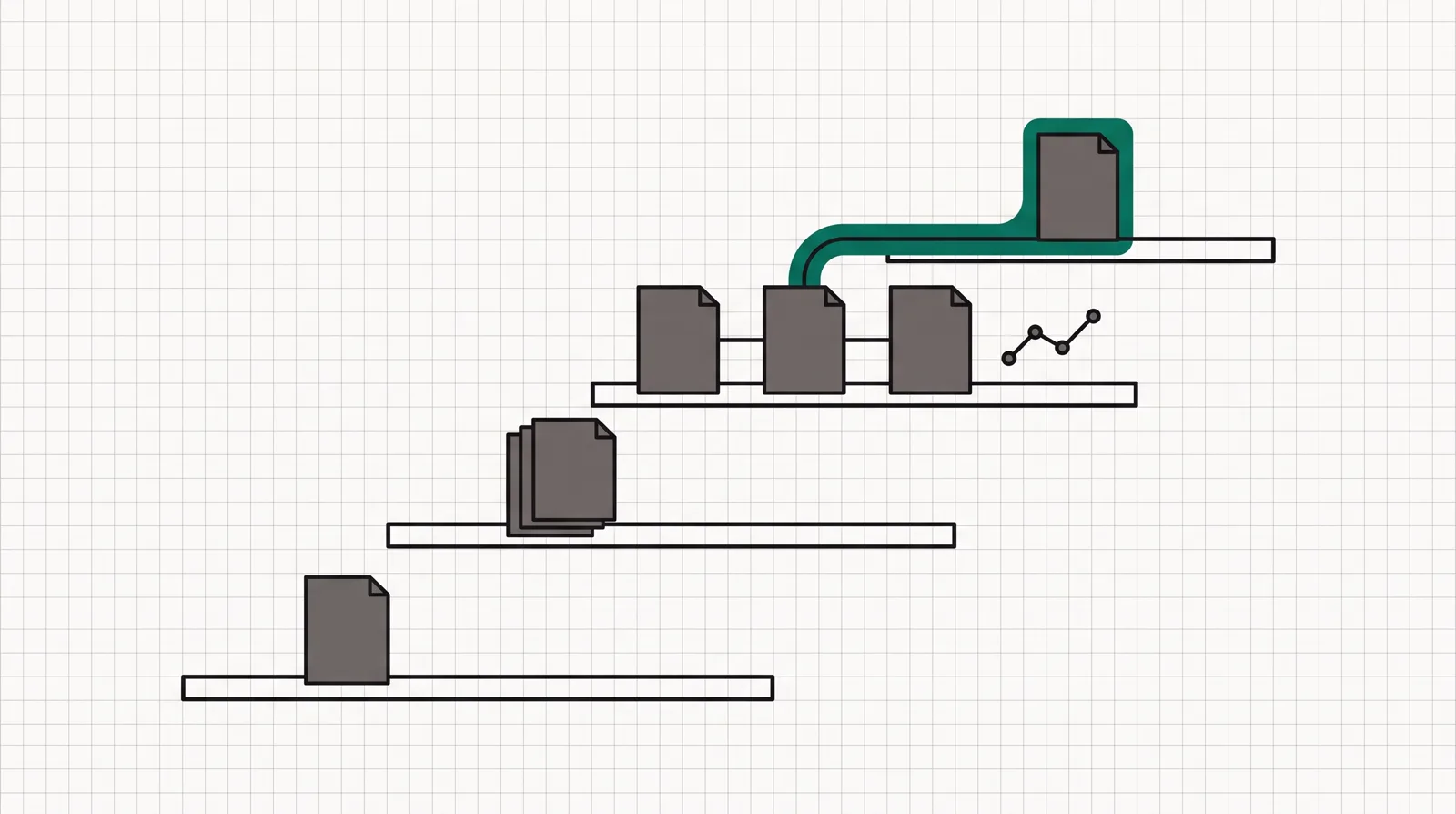
Four ascending plan shelves, moving from a single page to testing variants and then optimized visitor routing.
The capability ladder matters more than the $29 headline: pages first, testing at Experiment, then AI routing at Optimize.

Changelog

  • 30 September 2026. First published. Verified the $29, $99, $149 and $249 monthly plans, the 25% annual discount, the 14-day no-card trial, plan limits and overage policy against Unbounce's own pages.

Frequently asked questions

Is Unbounce legit?
Yes. Unbounce has operated since 2009 and is an established landing page and conversion optimization platform. It publishes hosted campaign pages and includes a visual builder, forms, testing and optimization features. The real concern is value for your use case, not whether the product exists.
What is Unbounce used for?
Unbounce is used to build and host campaign landing pages without relying on developers. Marketers can create forms, popups and sticky bars, run A/B tests, replace page text based on search terms, and use Smart Traffic to route visitors among variants. It is not a full checkout or email marketing platform.
How much does Unbounce cost in 2026?
Monthly plans cost $29 for Starter, $99 for Build, $149 for Experiment and $249 for Optimize. Annual billing reduces the listed monthly equivalent to $22, $74, $112 and $187. Concierge and Agency plans use custom pricing.
Does Unbounce have a free plan?
No. It has a 14-day free trial and does not require a credit card. Payment details are requested only if you choose to continue after the trial.
Does the cheapest Unbounce plan include A/B testing?
No. A/B testing begins on the Experiment plan at $149 a month. Starter and Build can publish landing pages, but neither includes the testing tools that define Unbounce for many paid-media teams.
What happens if I exceed the Unbounce traffic limit?
Unbounce says the pages keep running. It sends warnings by email and in the app, then may charge a one-time overage based on the extra usage. You can also move to a higher plan.
Can Unbounce replace ClickFunnels?
Only if your main job is building and testing landing pages. Unbounce does not provide a comparable built-in checkout, one-click upsells, courses, email system or full funnel workflow. Choose it for campaign-page optimization, not for running the whole sale.
Is Unbounce worth it for a small business?
It can be if the business buys meaningful paid traffic and can act on test results. For one brochure page, a waitlist or a low-volume campaign, the $149 testing tier is difficult to justify. A simpler landing-page builder will usually cost less.

What we read

From Unbounce

Other sources

5 discussions and reviews read for this page. Quotes are excerpts; open a link to read the original in context.

  1. [hn-good-experience] Ask HN: Best landing page builder? Hackernews,
  2. [hn-nontechnical] Ask HN: Best landing page builder? Hackernews,
  3. [capterra-campaigns] Unbounce reviews Capterra
  4. [capterra-mobile] Unbounce reviews Capterra
  5. [trustpilot-value] Unbounce reviews Trustpilot,

Related reading

Weighed head-to-head against a close rival: Leadpages vs Unbounce (2026): which one, and why.

Compare the focused page builders in our Unbounce alternatives guide, or see the exact limits in the Unbounce pricing breakdown. For a simpler page-first option, read our Leadpages review. If you need checkout steps and upsells rather than a standalone campaign page, the ClickFunnels review explains the broader funnel route.

Marta Ovalle

Written by

Marta Ovalle

Editor, funnel & checkout tools

Marta Ovalle leads Funnel Critic's coverage of funnel builders and checkout platforms. She reads the long-running threads where operators compare tools after months of live ad spend, cross-checks every claim against the vendor's own docs and pricing pages, and confirms prices with each vendor before a verdict goes live. She writes most of the roundups and pricing pages, and she decides when a ranking changes.

martao@funnelcritic.com

Last checked 2026-09-30