Skip to content
Menu

Review

Landingi review (2026)

Landingi is the pick if you publish many campaign pages and you want server-side testing on Optimize, at a lower testing tier than Unbounce Experiment. Leadpages is the better fit for uncapped traffic. A checkout tool is the better fit when you need to accept payments on the page.

By Marta Ovalle, reviewed by Funnel Critic Editorial. Updated 2026-10-21.

Our rating: 3.7 / 5, based on our funnel-tool rankings.

Quick answer

Landingi is the pick if you publish many campaign pages and you want server-side testing on a lower tier than Unbounce Experiment. Read the Leadpages review if you need uncapped traffic. Read the ClickFunnels or Kartra review if the page needs to accept credit card payments. Build is the publishing plan. Testing is on Optimize.

See Landingi pricing before you start a trial. Read the Optimize row there. The trial allowance is the figure in the panel above, and it is lower than the first paid tier.

The ads are about to go up, or they already have, and you need a page you can change without a developer. Leadpages and Unbounce are the other two tools on that shortlist. Landingi is the landing page builder that keeps appearing beside them at a lower testing tier.

It is a hosted builder, founded in 2012. The homepage describes a platform for building, testing and managing campaign pages, and the current page leads with an AI landing page builder. Pop-ups and multi-page funnels are part of the same product. They move a visitor from one screen to the next. Payments are handled by a separate checkout tool.

Landingi's product page explains the shared block in one line. You make the change once and publish it on every page. A pricing table, a header, a form. The plan comparison places that block on Optimize, alongside A/B testing. A team running the same offer on several URLs notices the difference right away, because the alternative is pasting the same edit into every page.

Testing is a separate plan from publishing. Optimize adds EventTracker and server-side testing. Build lists active pages and visits. Publish on Build when that is the whole job. Buy Optimize when the test is why you are here.

What the Landingi price depends on

The price depends on how many pages stay active, and on how many visits those pages get in a month. Both numbers are in the plan table lower on this page. That table shows the annual rates. The Unbounce review and the Leadpages review are the two comparisons readers bring to this decision, one for layout control and one for traffic with no visit cap.

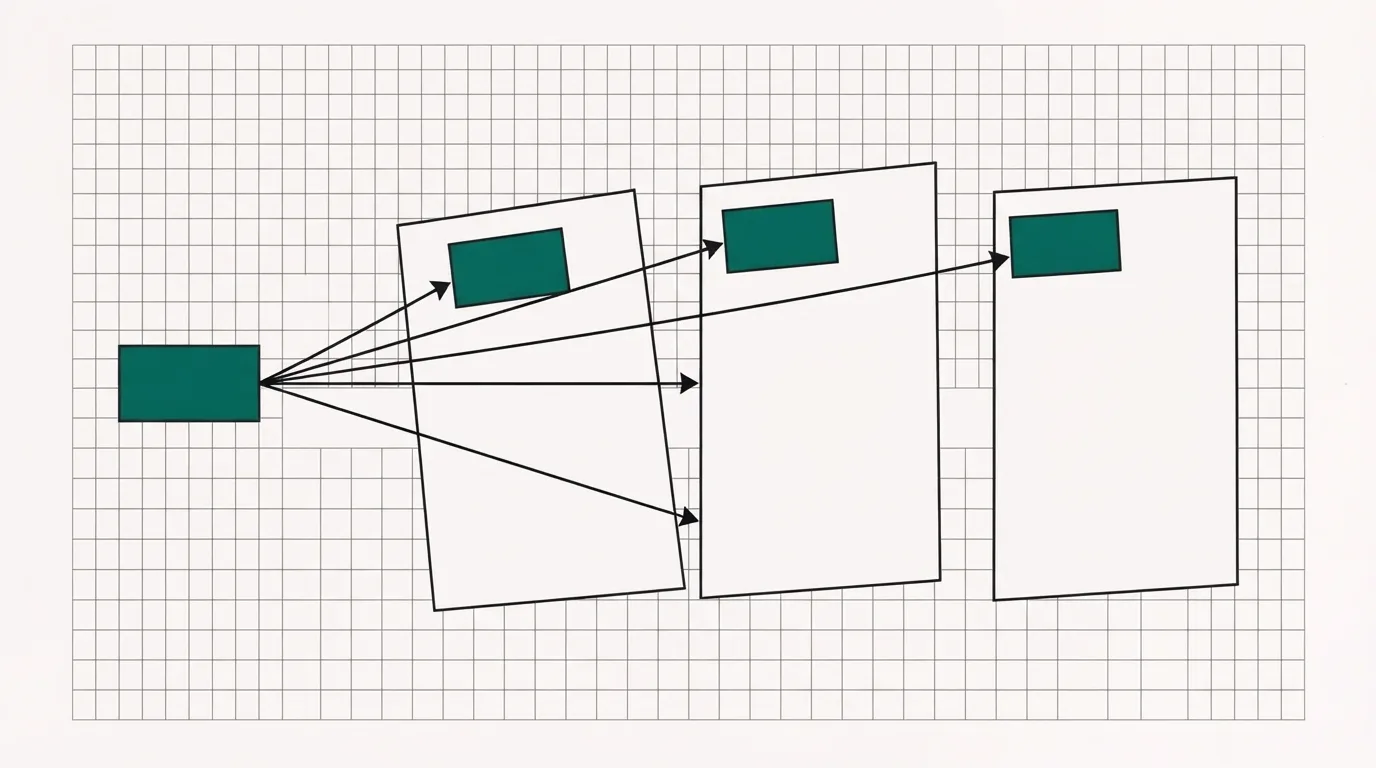
One teal block copied onto three outlined pages, showing a section that is edited once and published everywhere it is used.
You publish the block once, and every page that uses it picks up that edit.

What works

  • Filip K. on G2 describes the production win in plain words: smart sections let him reuse a pricing block across many pages and update it in one place. The plan comparison includes that shared block on Optimize, alongside testing, so one edit updates every page that uses it.
  • EventTracker and server-side testing are listed on Optimize. Build is the publishing plan, with an active-page cap and a visit cap. A/B testing sits on a higher tier, and the same editor is on the tier below it.
  • A template library and an AI page generator provide a starting point for the first draft. The homepage leads with that AI landing page builder. The shared block keeps the offer consistent once that draft becomes a set of URLs.
  • Scale is the agency tier: programmatic landing pages, client subaccounts, and a higher visit allowance than Optimize. Buying a login for each client is different from buying one brand account.
  • People comparing testing plans are usually comparing this with Unbounce Experiment. The price gap is in the plan table. A layout complaint from a PPC user on a trial is listed under the cons.

What to watch

  • Active pages and monthly visits are both capped on every paid plan, at different levels. A page you leave published still counts toward the limit, and exceeding the monthly allowance requires an upgrade. The cap limits how much you can publish. The editor stays available.
  • Designing the mobile layout requires a separate step. Filip K. writes that the mobile view often requires significant manual rebuilding, because the editor uses absolute positioning and does not reflow like a grid. You get that extra step because each desktop element is placed exactly.
  • One PPC user, on a trial after an Unbounce price increase, calls the editor less customizable than Unbounce. That limit shows up when the page has to match a strict design. A simple campaign page is less likely to hit it.
  • Landingi hosts campaign pages, pop-ups and tests. Payments go through a separate checkout tool. A pop-up can collect a lead, and a multi-page path can move the visitor along.
  • Every plan's trial allows fewer visits than the cheapest paid tier. The trial period is long enough to build the page and the mobile layout. A live campaign needs the paid allowance.
A Smart Sections card sits beside the editor and duplication cards, and it says you change a section once and publish it on every page.
Smart Sections. A Smart Sections card sits beside the editor and duplication cards, and it says you change a section once and publish it on every page. Screenshot: pages.landingi.com,

What buyers keep saying

Research: unverified

Reusable sections are ↑ frequently praised

Reviewers praise Smart Sections because one edit updates a pricing block on every page that uses it. A Capterra note calls the same idea a smart collection feature. That works well for a team running several campaigns that share one block.

“smart sections let me reuse a pricing block across many pages and update it in one place”

Filip K. G2: Landingi reviews on G2

“smart collection feature”

Badal Capterra: Landingi reviews on Capterra

The phone layout takes a manual pass.

A G2 review says the pixel-perfect editor often needs the phone layout rebuilt by hand. A PPC commenter who switched from Unbounce says the mobile view makes sense. The two reports describe the same editor, and they disagree.

“Because the editor is pixel perfect, I mean, absolute positioning, the mobile view often requires significant manual rebuilding. It doesn't auto respond as smoothly as grid-based builders. You have to move elements around specifically for the phone view.”

Filip K. G2: Landingi reviews on G2

“the mobile view actually makes sense”

u/Old-Imagination6137 Reddit: Best Landing Page Builder? Please help me!

“Because the editor is pixel perfect, I mean, absolute positioning, the mobile view often requires significant manual rebuilding. It doesn't auto respond as smoothly as grid-based builders. You have to move elements around specifically for the phone view.”

Filip K. G2: Landingi reviews on G2

“smart sections let me reuse a pricing block across many pages and update it in one place”

Filip K. G2: Landingi reviews on G2

“smart collection feature”

Badal Capterra: Landingi reviews on Capterra

“the mobile view actually makes sense”

u/Old-Imagination6137 Reddit: Best Landing Page Builder? Please help me!

“not quiiiite as customizable”

u/ThatBaseballDude Reddit: Unbounce 121.54% price increase in 2024

What buyers report

Filip K. on G2 credits the shared block and then faults the phone view in the same review. On the block: smart sections let me reuse a pricing block across many pages and update it in one place. On the phone: the mobile view often requires significant manual rebuilding. He ties the second point to absolute positioning. Elements have to be repositioned for the phone, because the editor does not reflow the way a grid builder does.

On r/PPC the reports split. Someone who switched from Unbounce says the mobile view actually makes sense, in a thread asking for a landing page builder. Another person, still on a trial after an Unbounce price increase, writes that Landingi is not quiiiite as customizable, in the price-increase thread. One comment is about the phone preview. The other is about how much of the layout you can customize.

What Landingi costs

The monthly column shows what you pay each month on an annual plan. Yearly billing includes two months free.

PlanMonthlyYearlyWhat you get
Build$242 months free10 active pages and 2,000 visits a month. Publishing plan.
Optimize$1192 months free100 active pages, 30,000 visits, EventTracker and server-side A/B tests.
ScaleFrom $2292 months free100,000 to 500,000 visits, programmatic pages and client subaccounts.
EnterpriseFrom $1,1992 months free1 million visits and up, with higher domain and user limits.

An extra custom domain is $5 a month, on top of the plan.

Unbounce lists Experiment, the plan where its A/B tests start, at $149 a month, or $112 a month billed annually, with a 30,000-visitor tier. The cards are on Unbounce's pricing page and on our Unbounce plan grid. Leadpages advertises unlimited traffic on all plans, and manual A/B tests start on Grow. Those figures are on Leadpages pricing.

The same grid, with the upgrade notes written out, is on the Landingi pricing page.

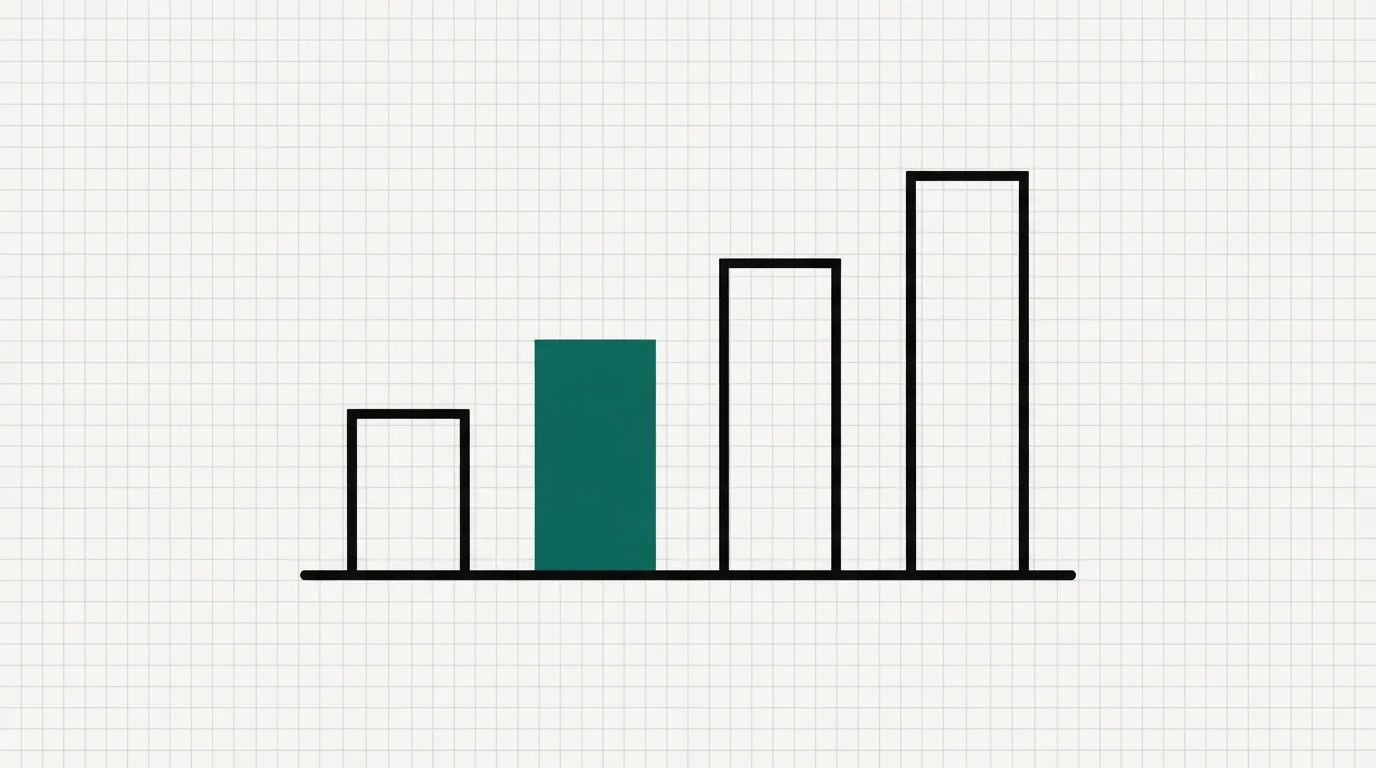
Four rising bars. The second bar is teal, marking the plan where server-side tests begin.
Four plans. The teal bar is Optimize, where the server-side test starts.

Who should pick Landingi

A media buyer with several offers, each on its own URL, is the clearest fit. The shared block keeps the offer consistent, and Optimize is where the variant test runs on the server. That buyer already has email and a cart somewhere else. They came here for the page and the test.

A single quiet lead page belongs on Build only when the page count and the traffic both fit that tier, and you are not testing. Paying for the testing tier only to publish one page is hard to justify. The limits decide it.

An agency that needs a login per client should look at Scale. Programmatic pages and subaccounts are on that tier. A freelancer publishing inside one brand account can skip it.

Leadpages, Unbounce, or a checkout platform

If a busy month would blow past the visit allowance, look at Leadpages. Every Leadpages plan advertises unlimited traffic. Testing there starts on Grow, as a manual A/B test, which works differently from server-side testing on Optimize. The Leadpages review covers the editor and the billing reputation. Leadpages vs Unbounce is the head-to-head when those two are the shortlist and Landingi is the third name.

If your design needs tighter control than Landingi offers, Unbounce is the better choice. Experiment costs more, and the public threads from people leaving it are about that bill. If you are already on Unbounce, start with Unbounce alternatives and the Unbounce review.

Instapage is the other builder that puts server-side testing inside a visitor allowance, and it does not cap the number of pages. The Instapage review breaks down that allowance, including what the help center says happens when an account exceeds it.

If the page needs to accept payments, look at ClickFunnels or Kartra. Both put the checkout in the same account as the page. A Landingi pop-up can still collect an email address. Orders are processed in ClickFunnels or Kartra.

How I would decide

I would use the trial to design the mobile version, because that step is separate from the desktop page. A G2 review says you have to design the mobile layout manually, because the editor uses absolute positioning. The shared block earns its place when it replaces pasting the same offer onto every URL.

The trial limit is lower than the first paid tier, so a full traffic test has to wait for a paid plan. If the mobile layout is the main worry, compare Unbounce Experiment with Optimize before you buy.

Changelog

  • 21 October 2026. First published. This version covers annual rates for Build, Optimize, Scale and Enterprise, the trial visit cap, Smart Sections, and comments from G2 and r/PPC.

Frequently asked questions

Is Landingi a real company?
It has sold a landing page platform since 2012, and the homepage still sells campaign pages, tests and pop-ups. Public reviews argue about the phone layout and about how far the editor will bend.
Which plan includes A/B testing?
Server-side testing and EventTracker are on Optimize and the tiers above it. Build is the publishing tier, with a page cap and a visit cap.
How does the testing plan compare with Unbounce?
Optimize is priced under Unbounce Experiment. Both figures are in the table above and on Unbounce's pricing page. One trial comment gave up some layout control for that gap.
Does Landingi accept payments?
Landingi hosts pages, pop-ups and tests. Payments are handled by a separate checkout tool, which has its own review on this site.
What can the trial actually show?
The length and the visit cap are in the panel at the top. Use the window to build the desktop page and the phone layout. A live traffic read needs a paid allowance.

What we read

From Landingi

Other sources

5 discussions and reviews read for this page. Quotes are excerpts; open a link to read the original in context.

  1. [g2-mobile] Landingi reviews on G2 G2,
  2. [g2-sections] Landingi reviews on G2 G2,
  3. [capterra-smart] Landingi reviews on Capterra Capterra,
  4. [reddit-ppc-positive] Best Landing Page Builder? Please help me! Reddit,
  5. [reddit-ppc-mixed] Unbounce 121.54% price increase in 2024 Reddit,

Related reading

See Landingi pricing for every annual rate. For other tools to switch to, see Landingi alternatives.

For the wider set, see the best funnel and landing page builders and all reviews. Rankings follow how we rank tools.

Marta Ovalle

Written by

Marta Ovalle

Editor, funnel & checkout tools

Marta Ovalle leads Funnel Critic's coverage of funnel builders and checkout platforms. She reads the long-running threads where operators compare tools after months of live ad spend, cross-checks every claim against the vendor's own docs and pricing pages, and confirms prices with each vendor before a verdict goes live. She writes most of the roundups and pricing pages, and she decides when a ranking changes.

martao@funnelcritic.com

Last checked 2026-10-21

Comments

No comments yet. Questions and your own experience are welcome.

Leave a comment

Thank you. Your comment will appear once it has been reviewed.